
Lighthouse Generator
Procedural lighthouses from rock towers to pier beacons
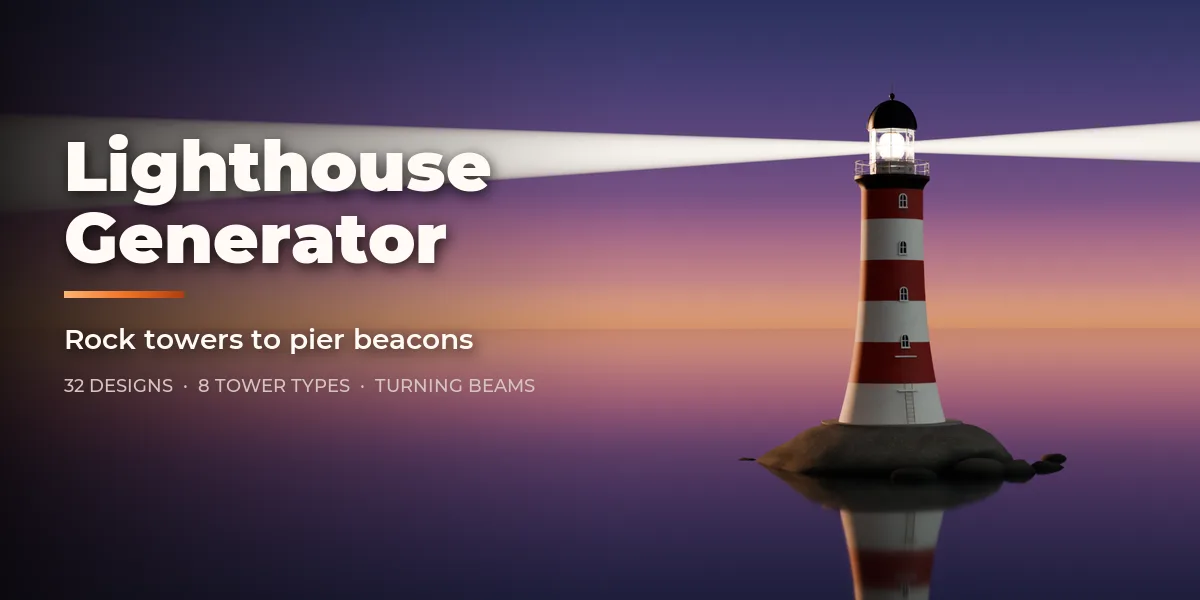
Lighthouse Generator builds complete lighthouses inside Blender, from Cape Hatteras with its black and white spiral to a wave-swept rock tower, a screw-pile cottage on iron legs, a cast-iron sparkplug light, a red lightship or a modern pier-head beacon. Pick one of 32 designs modeled on real lighthouses, then change anything: every part is a number, a choice or a switch, and the lighthouse rebuilds live as you drag.
Eight tower types cover the real world of lighthouses: conical brick and stone towers, straight cylinders, the curved "oak tree" profile of offshore rock lights, octagonal and square towers, open skeletal iron frames, slim masts and lanterns sitting straight on a house roof. They stand on the ground, a stepped plinth, a rock in the sea, a caisson, screw piles, the end of a pier or the deck of a lightship.
The top is built like the real thing: corbels or brackets under the gallery, railings, a watch room, a glazed lantern room with vertical or helical astragals, a dome, cone or low cap with ventilator, vane and lightning rod. Inside the lantern sits a Fresnel lens from 1st to 6th order with prism rings and bull's-eye panels, or an LED beacon or aerobeacon, and it turns: the beams sweep around on a looping animation with real spot lights.
One click, a new lighthouse
Pick a design in the sidebar and the whole lighthouse rebuilds: base, tower, daymark, gallery, lantern, lens and beams.
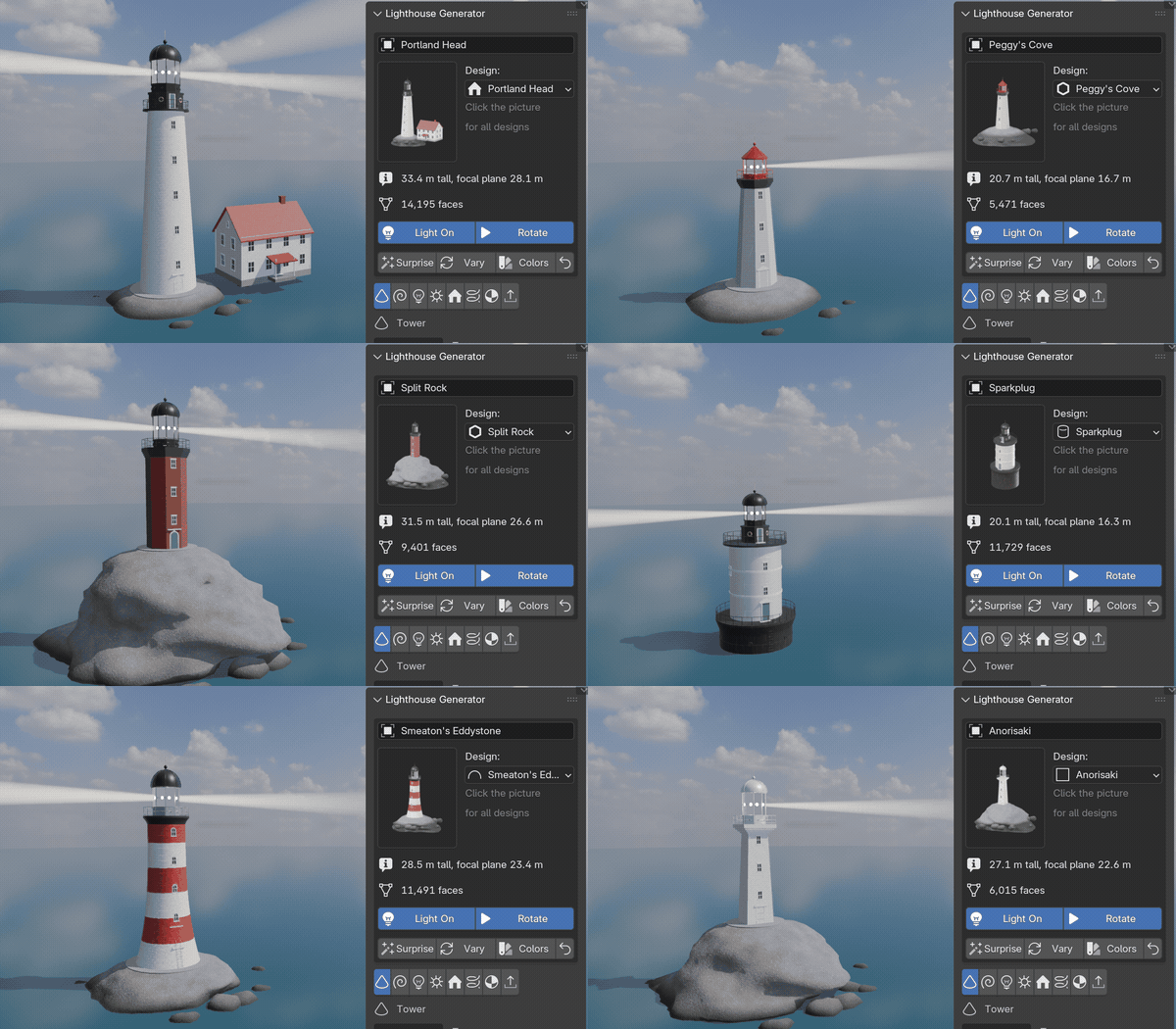
32 real lighthouses
Spiral coast towers, rock lights, screw-pile and caisson lights, the lightship, keeper's houses, French, Japanese, Spanish and Nordic towers and harbor beacons.
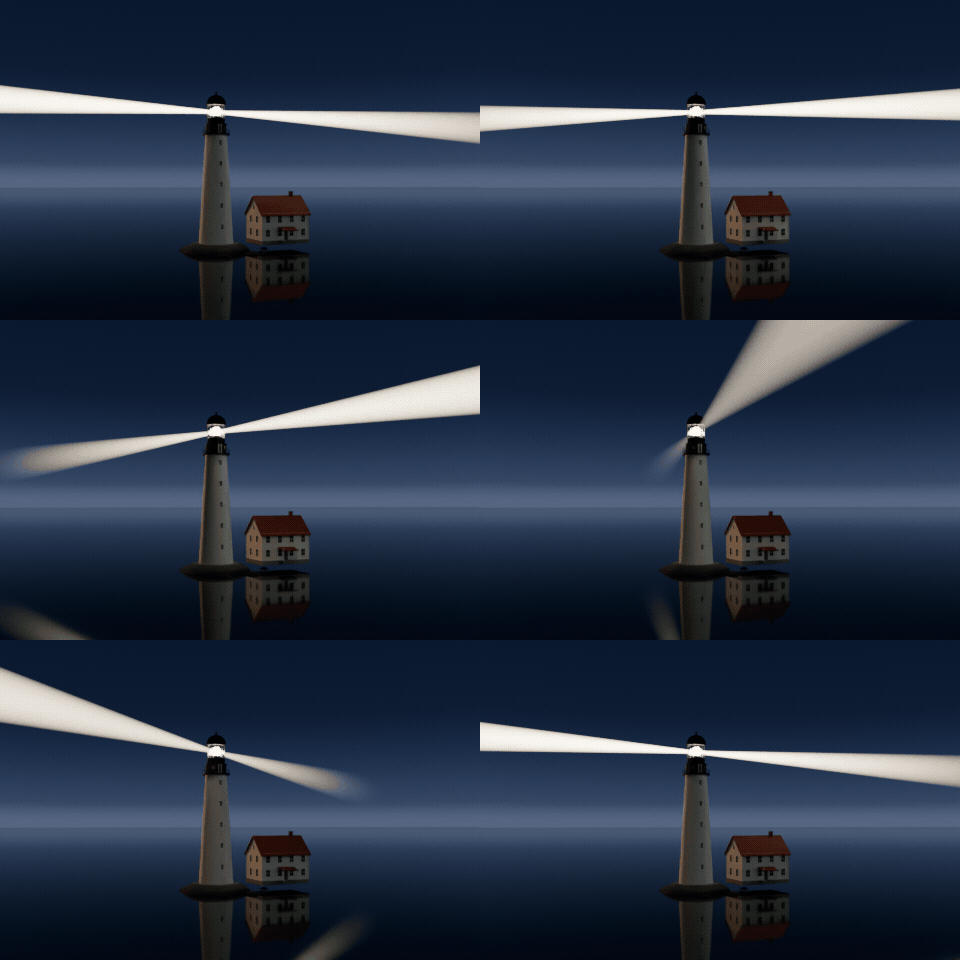
A turning light
The Fresnel lens turns on a looping animation and the beams sweep over the sea, with real spot lights following them.
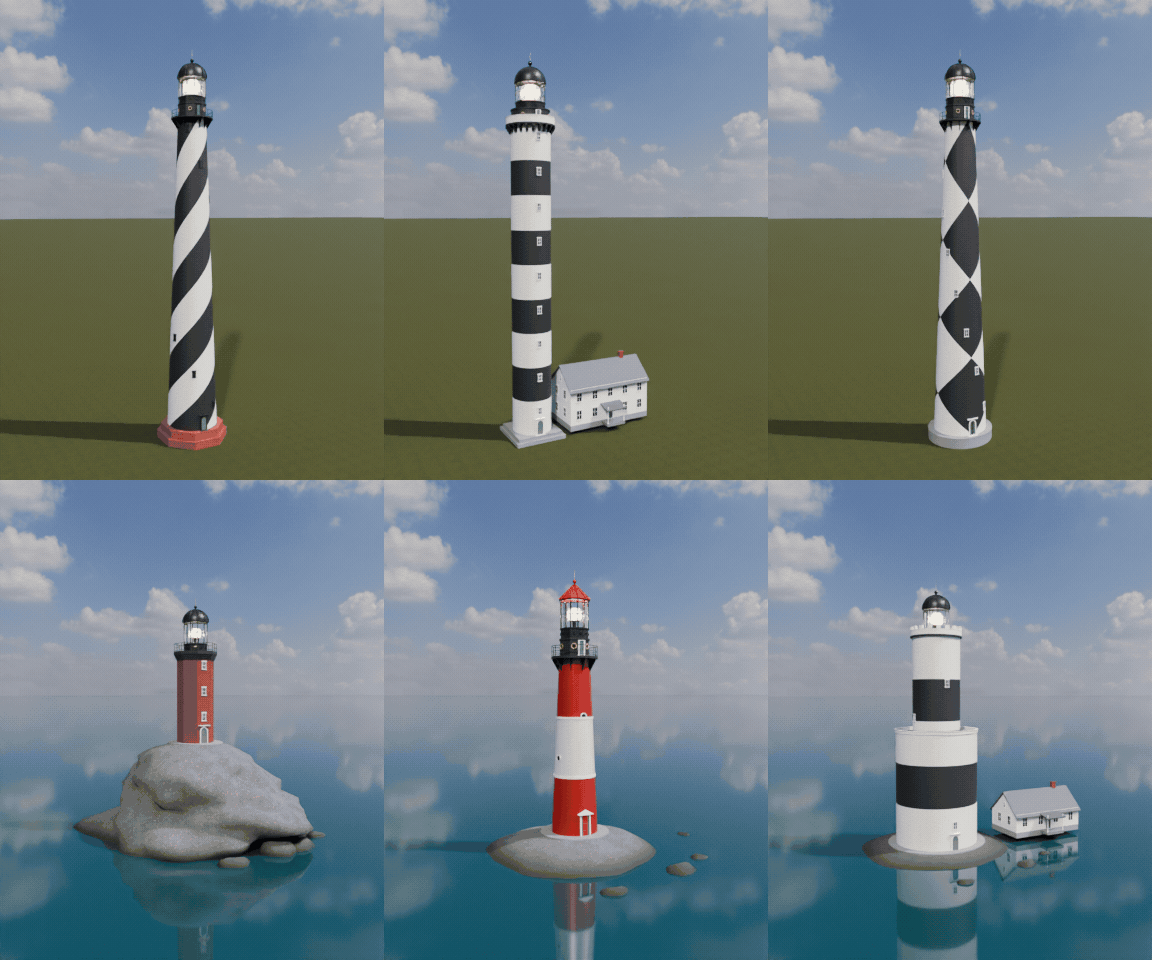
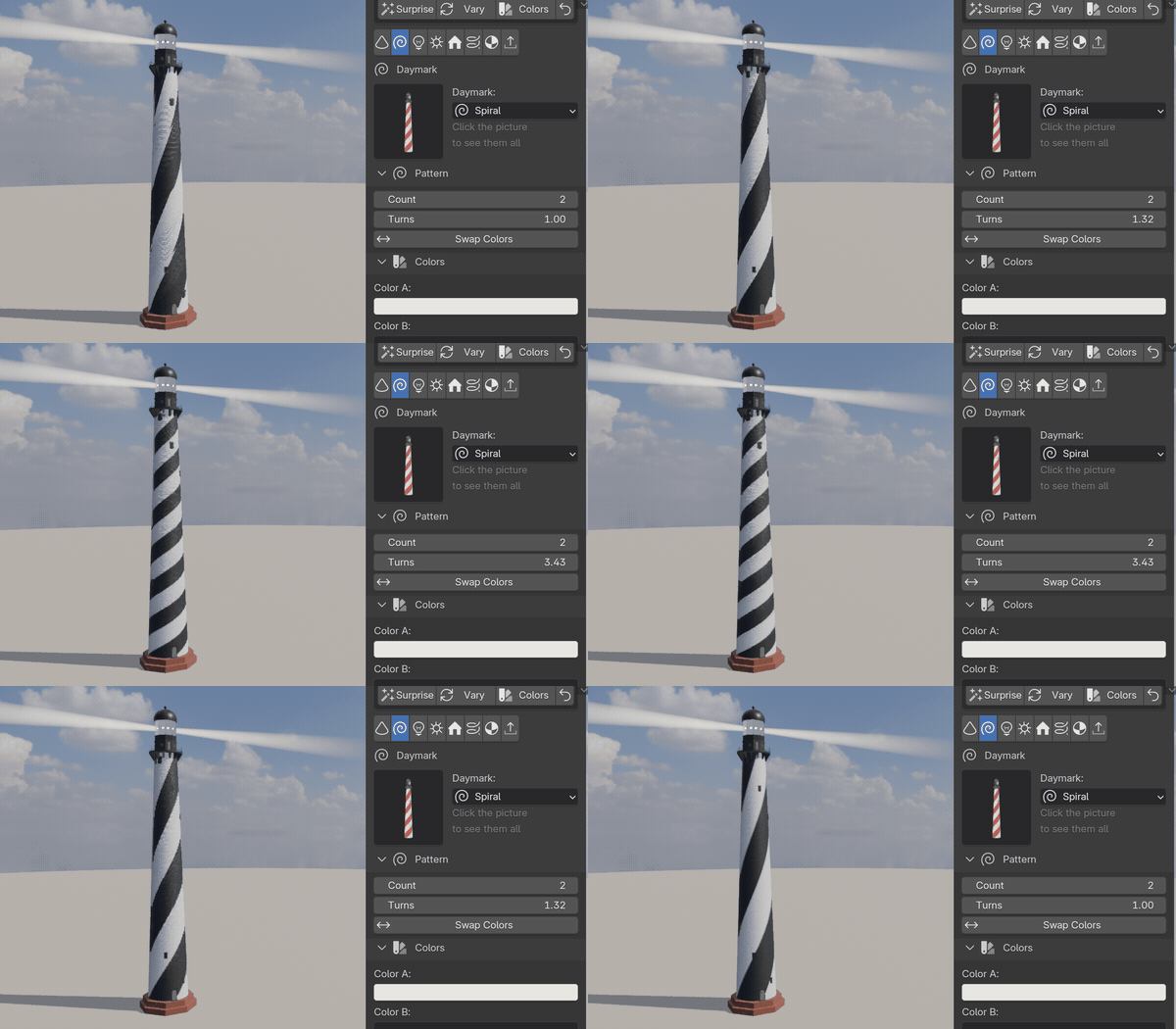
Drag a slider, watch it rebuild
Every part is a number, a choice or a switch. Here the spiral daymark of Cape Hatteras winds up and back while the slider moves.
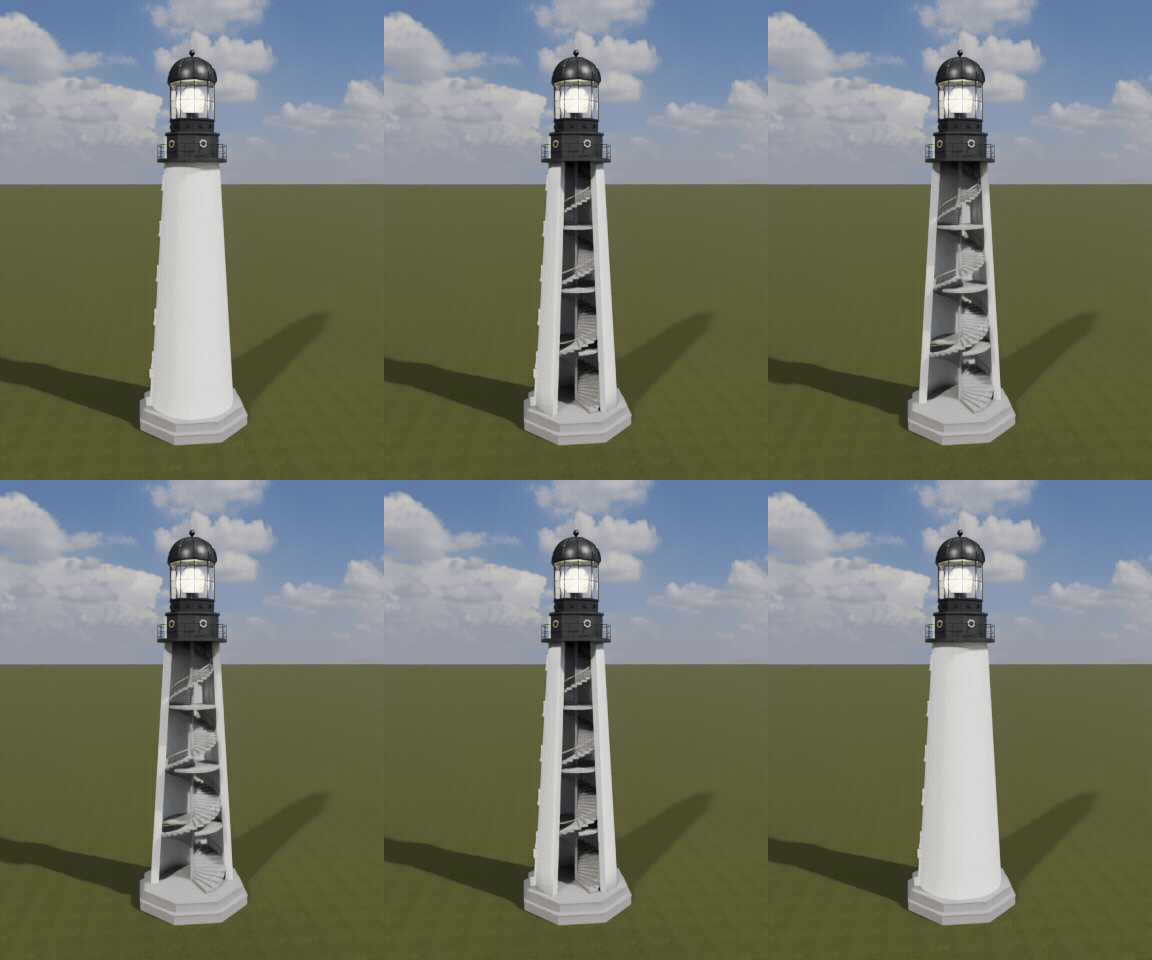
See inside
Cut the tower open to show the spiral stairs, landings and windows, with a central newel or treads built into the wall.
Features
- 32 real-world designs in 6 groups, each fully editable
- US coast towers, rock lights, skeletal, caisson and screw-pile lights, the lightship, keeper's houses, French, Spanish, Italian, Irish, Japanese and Nordic lights, pier beacons, concrete and fiberglass towers
- 8 tower types with real dimensions in meters
- Daymarks: solid, bands, spirals, diamonds, vertical stripes and top bands in any two colors
- 7 bases: ground, plinth, sea rock, caisson, screw piles, pier and lightship hull
- Keeper's houses: detached house, Cape Cod, schoolhouse, Mediterranean and hexagonal cottage
- Fresnel lenses from 1st to 6th order, flashing panels, LED beacon and aerobeacon
- Rotating beams as glow cones or volumes, real lights, color and period controls
- Doors, windows, spiral stairs with landings and a cutaway to show the inside
- 9 wall surfaces (painted brick, stone, granite, concrete, cast iron, shingle, fiberglass, steel) with weathering
- UV-mapped geometry, origin at the ground, three detail levels and Convert to Mesh for game engines
- Surprise, Vary and Random Colors buttons for endless new lighthouses
- Picture-driven sidebar with eight tabs and a Shift+A menu
- Works in Cycles and EEVEE
Requires Blender 4.2 or newer. Tested on Blender 4.2, 4.5 and 5.2 LTS.
Install in under a minute (Blender 4.2+)
- In Blender open Edit › Preferences › Get Extensions.
- Open the arrow menu at the top right and choose Install from Disk.
- Pick the downloaded zip. Do not unzip it.
Questions
Which Blender versions are supported?
Blender 4.2 and newer. It is tested on Blender 4.2, 4.5 and 5.2 LTS.
Can I use the lighthouses in a game engine?
Yes. Every part is UV-mapped with its origin at the ground and uses Principled BSDF materials. Pick the Low detail level, turn off the beams if you do not need them and use Convert to Mesh, then export as usual (FBX, glTF).
Does the light really turn?
Yes. The lens and its beams are keyframed to turn once per period, looping forever, with real spot lights following each beam. Press Play in the timeline to see it.
Details
- Version
- 1.0.0
- Blender
- 4.2 or newer
- Tested on
- 4.2, 4.5 and 5.2 LTS
- Render engines
- Cycles, EEVEE
- Category
- Modeling
- Download
- 0.5 MB zip
- License
- GPL v3
More addons
Gunsmith
Procedural firearms, launchers and shields with PBR wear
Trailer & Caravan Generator
Caravans, campers, RVs, horse boxes and utility trailers
Umbrella Generator
Open, close and animate any umbrella, parasol or patio shade
Vending Machine Generator
Snack, soda, Japanese, gachapon, claw, ATM and kiosk machines