
Library Generator for Blender
Libraries with custom rooms, bookshelf layouts and real books
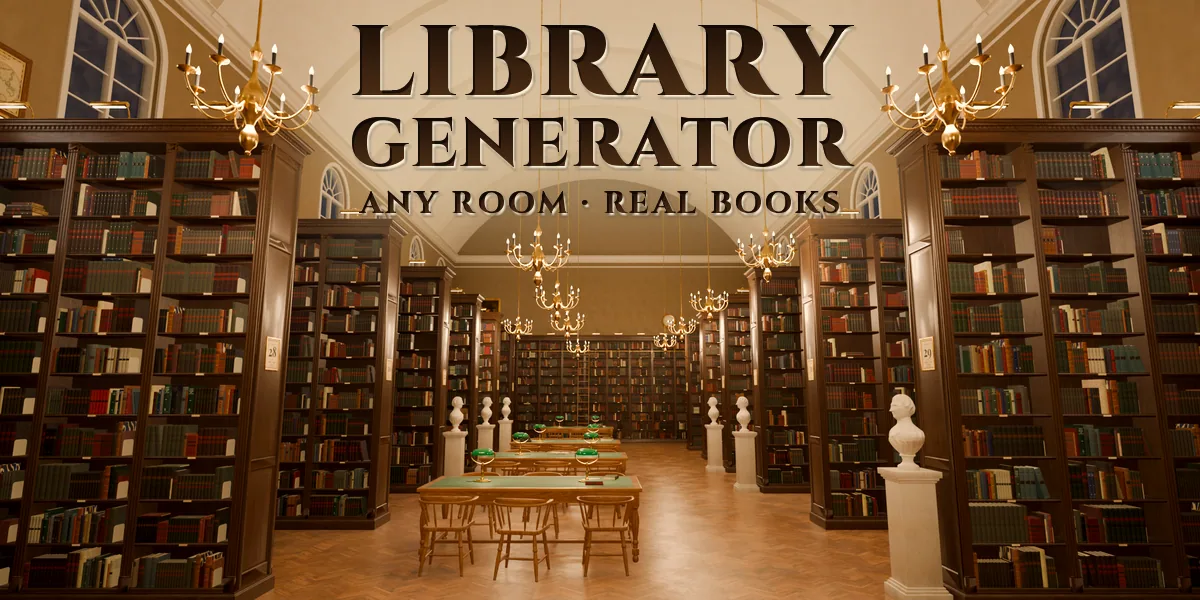
Library Generator builds a whole library inside Blender, and you decide its plan. Pick one of 9 room shapes, pick one of 5 bookshelf layouts, or press Edit Floor Plan and draw the walls and every single bookshelf line yourself. The room, the bookcases, the furniture and tens of thousands of books rebuild to match.
Start from 24 designs: a vaulted long room with alcoves, a panelled reading room with green-shaded lamps, a domed rotunda, a two-storey gallery hall, a private study, town and branch libraries, a modern library, a children's room, university stacks, a dusty archive and a law library, plus ten single pieces for your own scenes. Every design stays editable from one sidebar, with pictures instead of dropdowns.
You control the plan
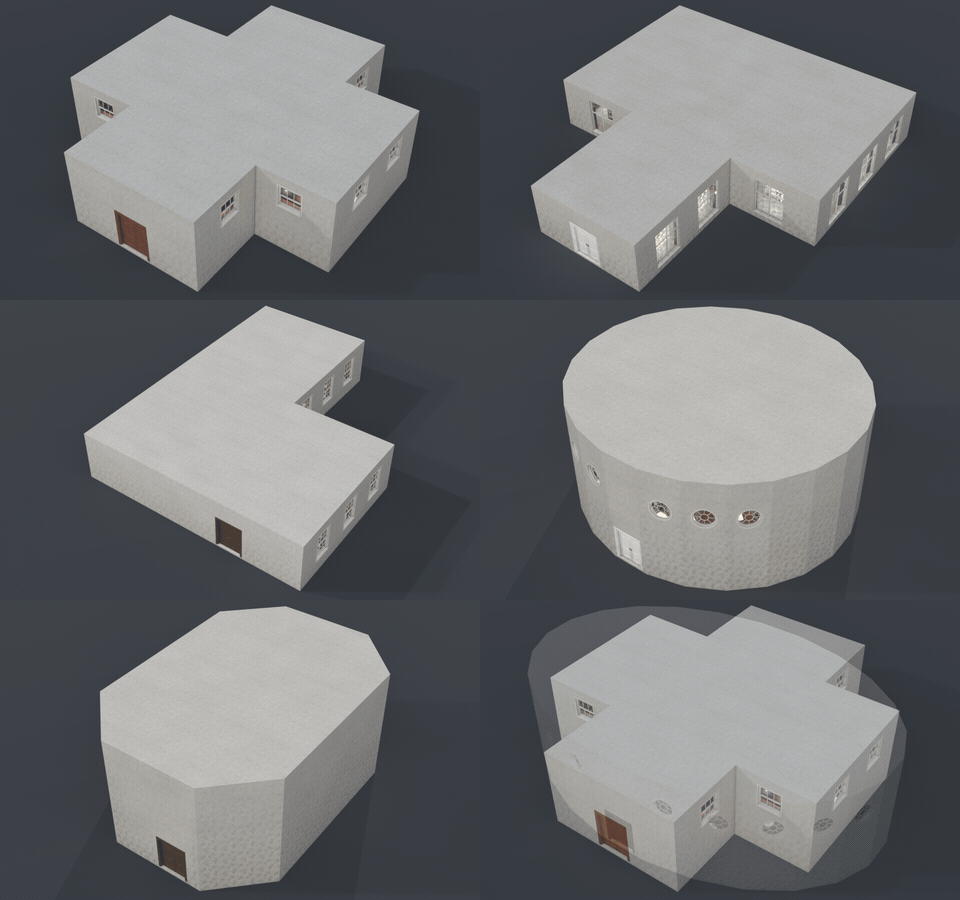
- 9 room shapes: rectangle, L, T, U, cross, octagon, round, apse, or your own hand-drawn outline
- 5 automatic shelf layouts: wall-lined, stacks, alcoves, radial and low islands
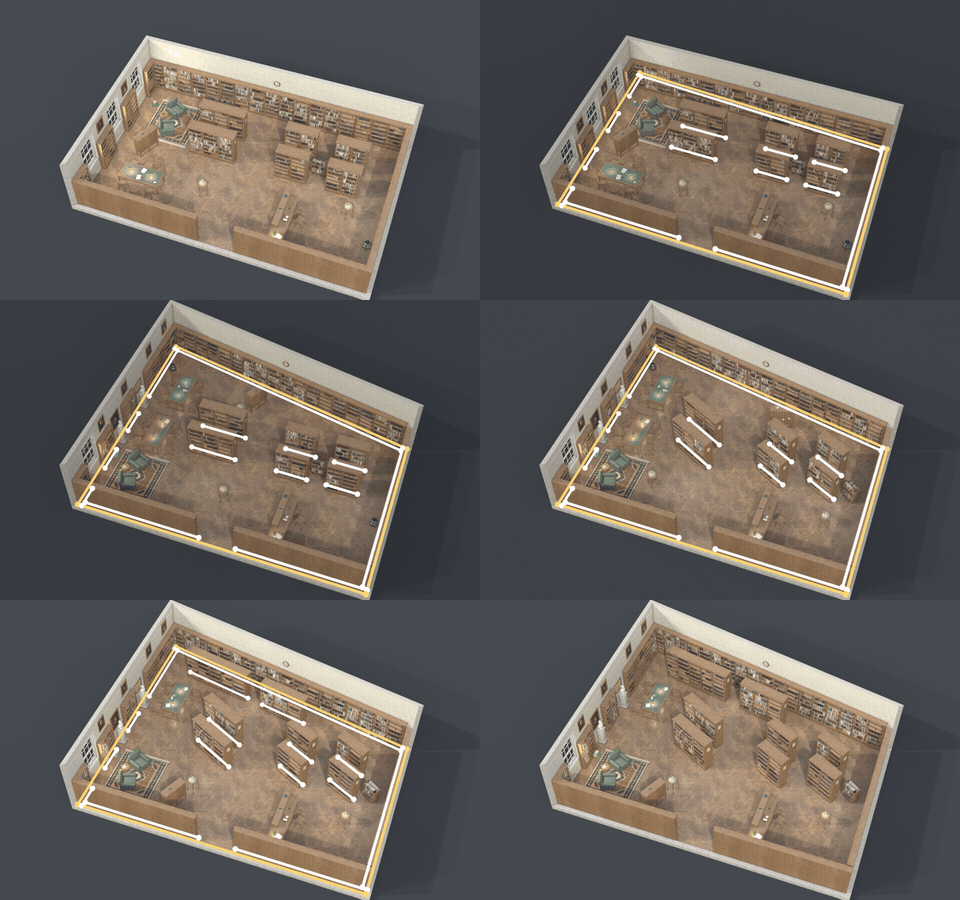
- Edit Floor Plan: a flat plan opens in Edit Mode. Move the corners of the face to reshape the room, move, extrude or delete loose edges to place bookshelves, mark an edge sharp for a low shelf, then Apply Plan
- An edge along a wall becomes a wall bookcase, an edge on the open floor a double-faced range
- Room size, height, doors, 4 window styles, 5 ceilings, columns and an upper gallery with a railing
- Walls as a full room, open roof, cutaway or floor only, to drop into your own building
Draw your own bookshelves
Open the floor plan, drag a corner to reshape the room, turn or extrude a line for every bookshelf, press Apply Plan: the library rebuilds to match.
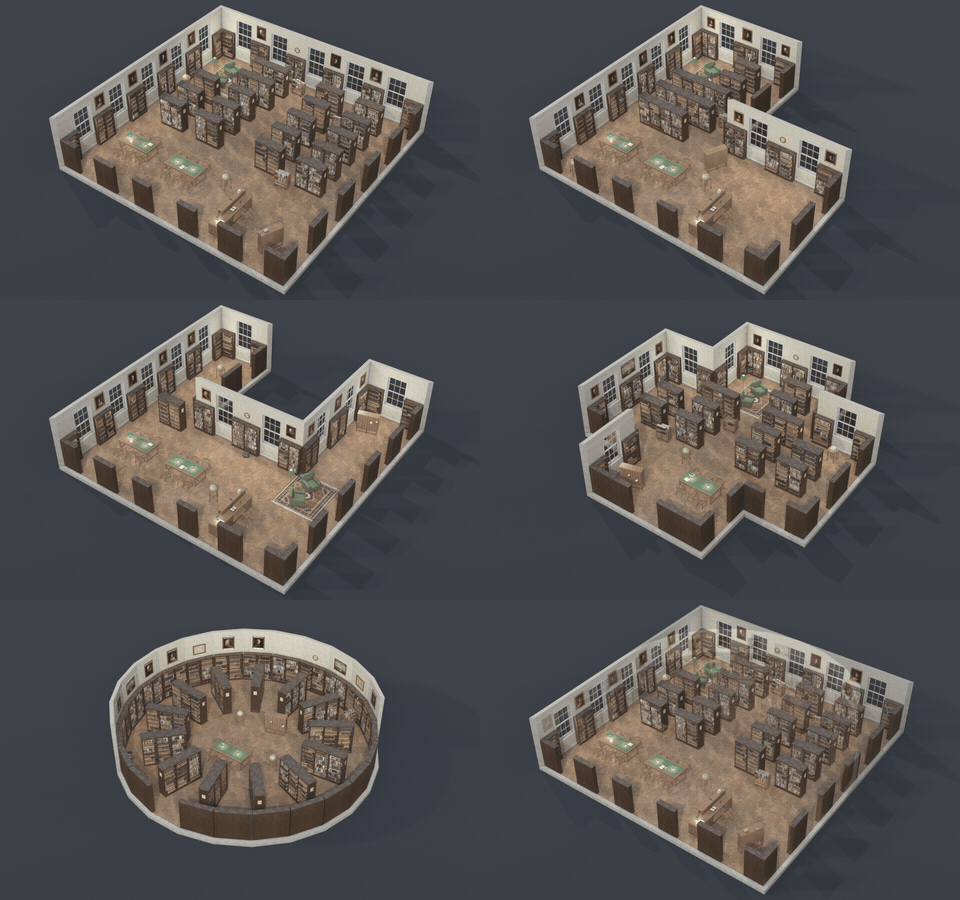
Any room shape
Rectangle, L, T, U, cross, octagon, round or apse: shelves, tables, windows and lamps lay themselves out again for every shape.
Surprise Me
One click gives a new library: another design, shape, shelf layout, finish and age every time.
Five styles, new to old
Classic, traditional, modern, steel stacks and children's bookcases with matching furniture, each one New, Used or Old.
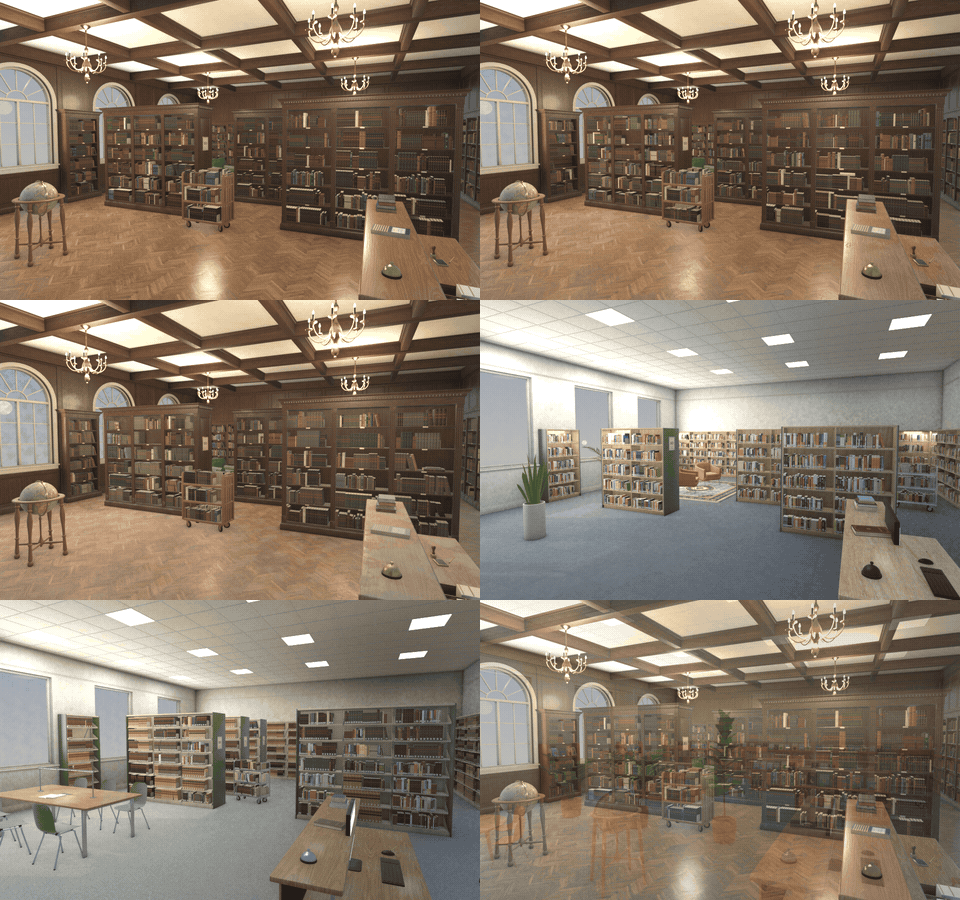
Bookcases and books
- 5 bookcase styles: classic panelled hardwood, traditional, modern, steel stacks and children's
- Real books on every shelf: a 216-design atlas of leather, cloth, dust jacket and paperback spines with readable titles
- 4 collections (mixed, antique, modern, law sets), fill and disorder sliders, spine labels, bookends, loose and open books
- Rolling ladders, range signs, shelf labels and shelf lights
Furniture and light
- Reading tables with chairs and lamps, circulation desk, card catalog, armchairs, book carts, globe, rugs, plants, busts, clock and pictures in classic, modern and children's styles
- 10 single pieces: bookcase, double range, steel range, reading table, circulation desk, card catalog, book cart, ladder, armchair group and floor globe
- Real Blender lights at every lamp plus daylight through the windows, so interiors are lit in EEVEE and Cycles
Finish and output
- Condition New, Used or Old: wear, dust, leaning books and gaps
- Woods, floors, wall treatments, metals, steel colours and upholstery to choose, or one click for a random finish
- Surprise randomizes the selected library in place, Vary changes its size and details
- Detail Low, Medium or High, and a face count in the sidebar
- Each design is one mesh object with PBR image textures (CC0), ready for Convert to Mesh and export to game engines
- Shift+A menu and a picture-driven sidebar
Requires Blender 4.2 or newer. Tested on Blender 4.2, 4.5 and 5.2 LTS.
Install in under a minute (Blender 4.2+)
- In Blender open Edit › Preferences › Get Extensions.
- Open the arrow menu at the top right and choose Install from Disk.
- Pick the downloaded zip. Do not unzip it.
Questions
Which Blender versions are supported?
Blender 4.2 and newer. It is tested on Blender 4.2, 4.5 and 5.2 LTS.
Can I draw my own room and place the bookshelves myself?
Yes. Edit Floor Plan opens a flat plan in Edit Mode: the face is the room outline and every loose edge is a bookshelf. Move, extrude or delete them with Blender's normal mesh tools, press Apply Plan, and the library is rebuilt from your drawing. Back to Automatic returns to the preset shapes and layouts.
How many faces does a library have, and is it fast?
It depends on the size and the books. At Medium detail a 150 m2 room is about 450,000 to 850,000 faces depending on the shelf layout, the 308 m2 Reading Room with about 16,000 books is close to 1 million, and the largest halls with over 40,000 books pass 2 million; single pieces are roughly 4,000 to 60,000. A rebuild takes a few seconds for the big rooms. The sidebar shows the face count, and Detail Low, a lower book Fill or switching the books off cut it sharply.
Can I use it in a game engine?
Yes. Each design is one mesh with UVs and PBR image textures (base colour, roughness and normal maps). Use Convert to Mesh, then export as FBX or glTF. The wear and dust overlay is a Blender shader effect: bake it if you want it in the engine. For real-time use pick Detail Low, lower the book fill, or export single pieces such as a bookcase or a reading table.
What is the licence of the textures?
The PBR sets are CC0 scans from Poly Haven, and the book spines, signs, labels, pictures, globe and rugs are generated for this addon and also free to use. You can use the results in personal and commercial work. The addon code is GPL.
Does the lighting work in EEVEE?
Yes. With Real Lights on, the addon adds Blender light objects at the lamps and daylight through the windows, so the interior is lit in both EEVEE and Cycles. Lights On, Light Strength and Daylight are in Materials & Lighting.
Details
- Version
- 1.0.0
- Blender
- 4.2 or newer
- Tested on
- 4.2, 4.5 and 5.2 LTS
- Render engines
- Cycles, EEVEE
- Category
- Modeling
- Download
- 33.2 MB zip
- License
- GPL v3
More addons
 Featured
Air and Space Bundle – 9 Blender Generator Addons
Drones, helicopters, rockets, satellites and planets
 Featured
Bicycle Generator
Procedural bicycles of every kind, from racers to cargo trikes
 Featured
Bookwright
Procedural books of every kind, closed, shelved or turning pages
Light Master – Click-to-Place Lighting & Animated Gobos for Blender
Click-to-place reflection lights with animated gobo shadows