
Gaslight – Victorian Mansion Generator for Blender
Victorian mansions with turrets, porches and furnished rooms
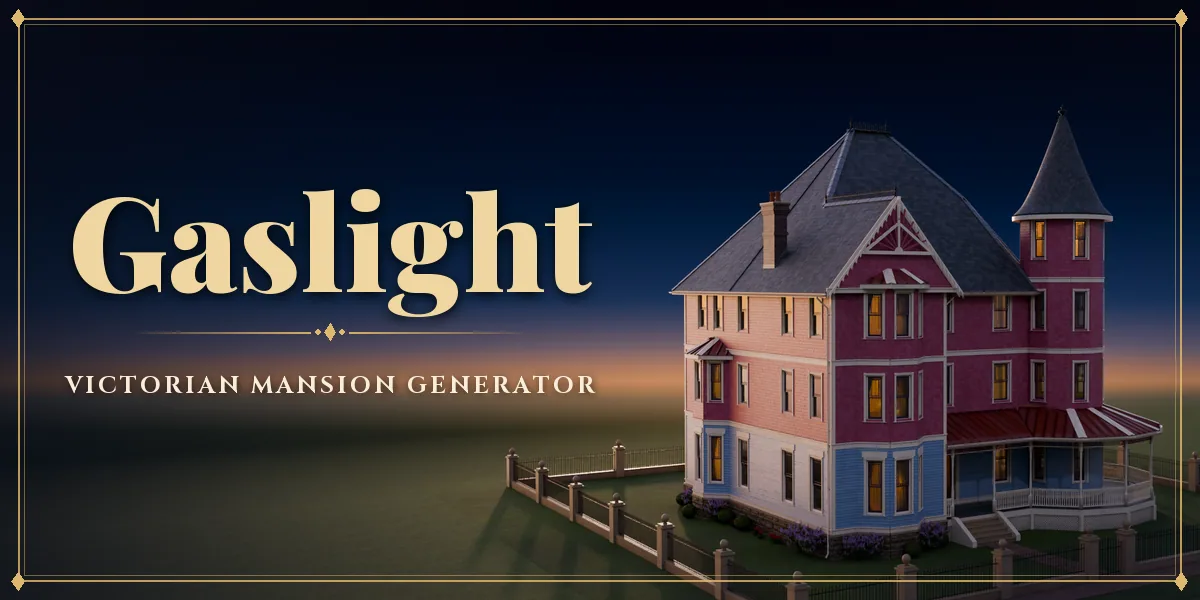
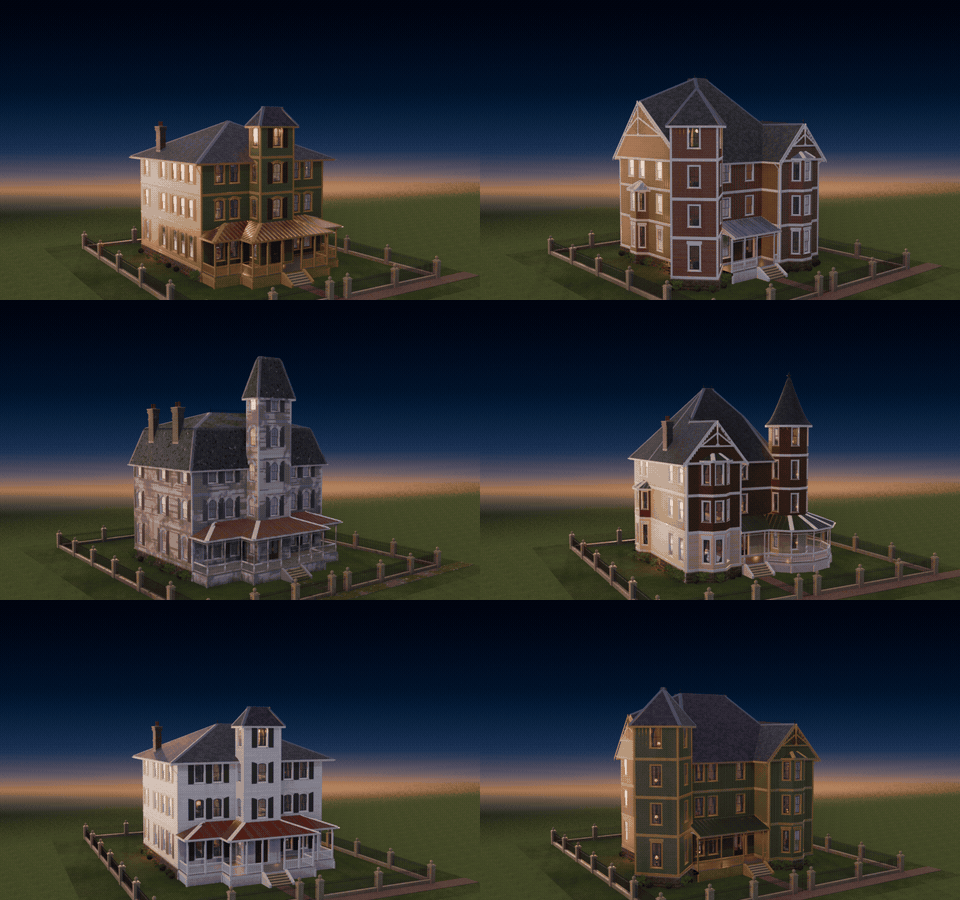
Gaslight builds a complete Victorian mansion in Blender with one click, outside and inside. Turrets with witch's hat roofs, wraparound porches with turned posts and spindle friezes, bay windows, fish scale shingles, iron cresting and gingerbread trim on the outside; a grand hall with a staircase, a parlor, a dining room, a library, bedrooms and a bathroom on the inside, each with wallpaper, wainscoting, mouldings, lamps and period furniture.
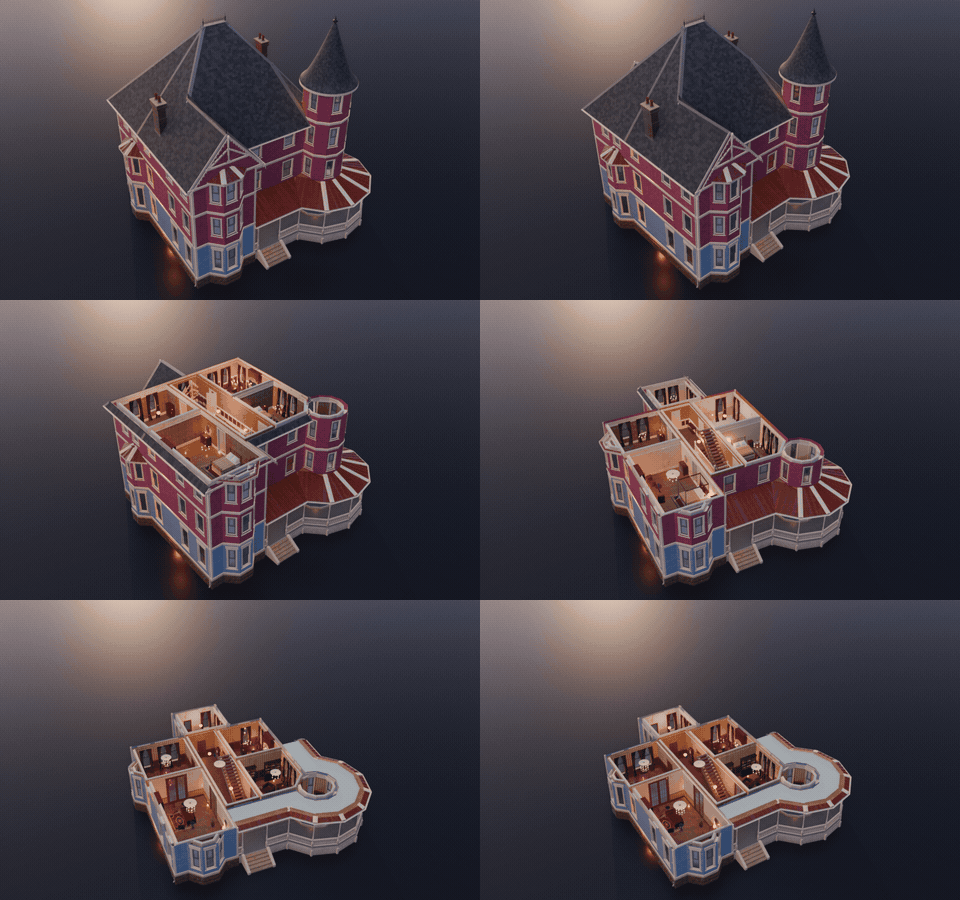
Pick one of nine styles and change anything from the sidebar: size, floors, tower, roof, porch, windows, front door, wall cladding, colours and condition. The mansion rebuilds live as you drag, and every choice is a picture, so you see what you get before you click. Surprise Me makes a new mansion in a second. Turn on Cutaway and the roof and the floors above lift away like a doll's house, so you can look down into any floor's furnished, lamp-lit rooms.
Every surface uses real PBR materials made from scanned textures: painted clapboard with per-board variation, slate and fish scale roofs, rock-faced stone foundations, brick, oak floors, damask wallpaper, carpets and brass. Four conditions take the house from freshly painted to lived in, old and abandoned, with dirt streaks, peeling paint, moss, rust and missing slates. The Haunted style is ready for Halloween scenes.
A front yard with a lawn, a flagstone, brick or gravel walk, flower beds and a wrought iron or picket fence finishes the scene.
9 Victorian styles
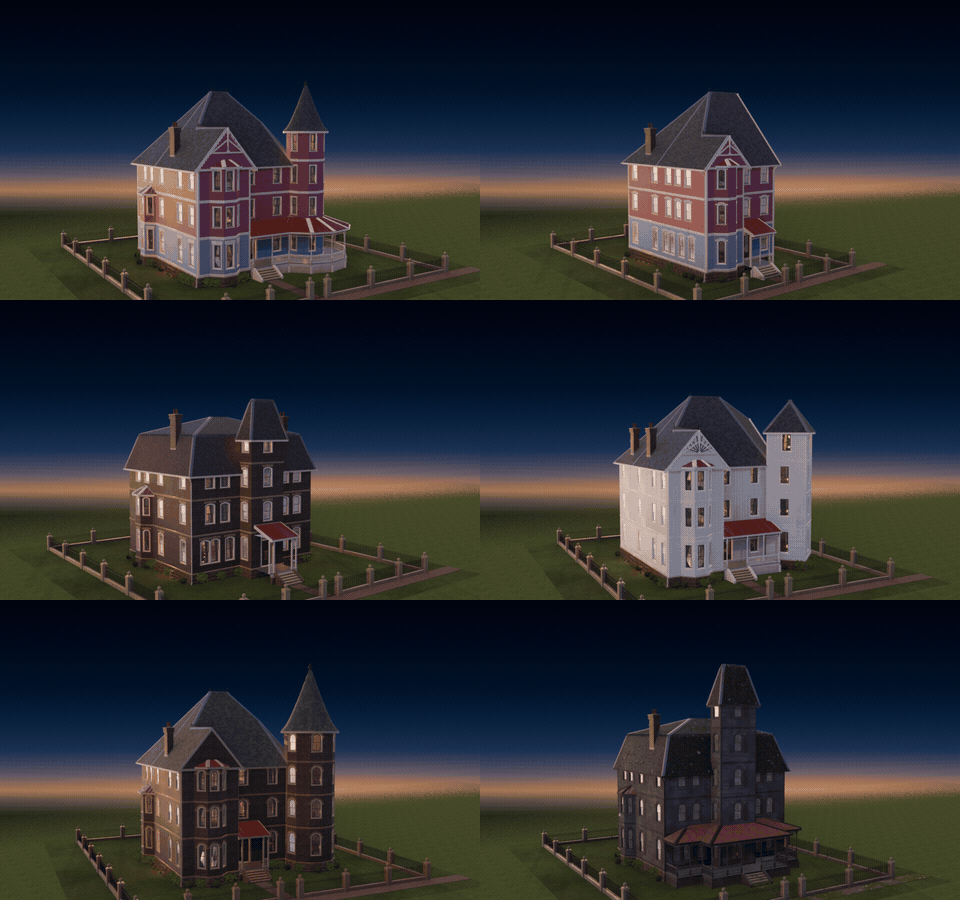
Queen Anne, Painted Lady, Italianate, Second Empire, Gothic Revival, Stick, Shingle, Romanesque and Haunted. Pick one and change anything.
Cutaway: see inside
One toggle lifts the roof and the floors above away, like a doll's house: every room is furnished and lit. Nothing is rebuilt, and Convert to Plain Meshes keeps the whole house.
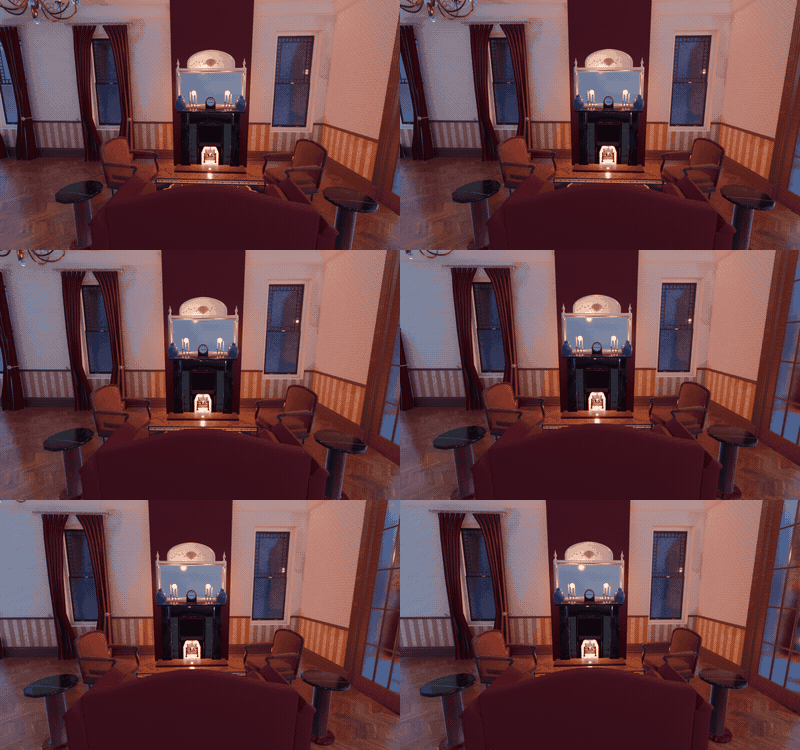
Furnished inside
Walk in: wallpaper, wainscoting, a lit fireplace with mantel mirror and clock, armchairs, rugs and gas lamps in every room.
Surprise Me
One click, a new mansion: style, massing, colours, roof and condition picked for you.
Features
- 9 styles: Queen Anne, Painted Lady, Italianate, Second Empire, Gothic Revival, Stick, Shingle, Romanesque and Haunted
- Round, octagonal or square towers with cone, bell, dome, onion, spire, pyramid or mansard roofs
- 5 roof styles with slate, fish scale, cedar shingle, standing seam or asphalt coverings, chimneys and iron cresting
- Entry, full front or wraparound porches with turned posts, brackets and spindle friezes
- 8 window designs and 5 front doors, with real glass, sashes, shutters and pediments
- 7 wall claddings, rock-faced stone or brick foundations and gingerbread trim
- Cutaway: see inside any floor with one toggle, no rebuild
- Furnished interior: hall and staircase, parlor, dining room, library, study, music room, kitchen, bedrooms, nursery and bathroom
- 8 exterior palettes, 4 interior colour sets and custom colours
- 4 conditions from new to abandoned
- Front yard with lawn, walk, flower beds and wrought iron or picket fence
- Lamps light the rooms at night
- Picture-driven sidebar, Shift+A menu, Surprise Me, New Seed and Convert to Plain Meshes
- Works in Cycles and EEVEE
Requires Blender 4.2 or newer. Tested on Blender 4.2, 4.5 and 5.2 LTS.
Install in under a minute (Blender 4.2+)
- In Blender open Edit › Preferences › Get Extensions.
- Open the arrow menu at the top right and choose Install from Disk.
- Pick the downloaded zip. Do not unzip it.
Questions
Which Blender versions are supported?
Blender 4.2 and newer. It is tested on Blender 4.2, 4.5 and 5.2 LTS.
Is the interior really modeled?
Yes. Every room has walls, floors, ceilings, doors, a staircase, wallpaper, mouldings, lamps and furniture, so you can put the camera inside and render.
Can I edit the result as a normal mesh?
Yes. Convert to Plain Meshes in the Mansion tools panel keeps the meshes as ordinary objects, ready to edit or export.
Are the materials usable in game engines?
The materials are PBR (base colour, roughness, normal) built from scanned textures, and the meshes have real UVs, so they export to game engines.
Can I make a haunted house?
Yes. Pick the Haunted style or set the condition to Abandoned on any style for peeling paint, dirt, moss and missing slates.
Details
- Version
- 1.0.2
- Blender
- 4.2 or newer
- Tested on
- 4.2, 4.5 and 5.2 LTS
- Render engines
- Cycles, EEVEE
- Category
- Modeling
- Download
- 58.4 MB zip
- License
- GPL v3
More addons

Industria – Factory & Industrial Facility Generator for Blender
Factories, refineries, power plants and mills in one click
Atomic Shelter – Shelter / Bunker Generator for Blender
Retro-futuristic nuclear bunkers: rooms, floors and gear doors
Backlot – Movie Set Generator for Blender
Film sets with swappable cameras, lights, grip and power
Power Line Generator
Pylons, utility poles and railway catenary with sagging cables