Drone Shot
Collision-free drone camera flights with real drone profiles
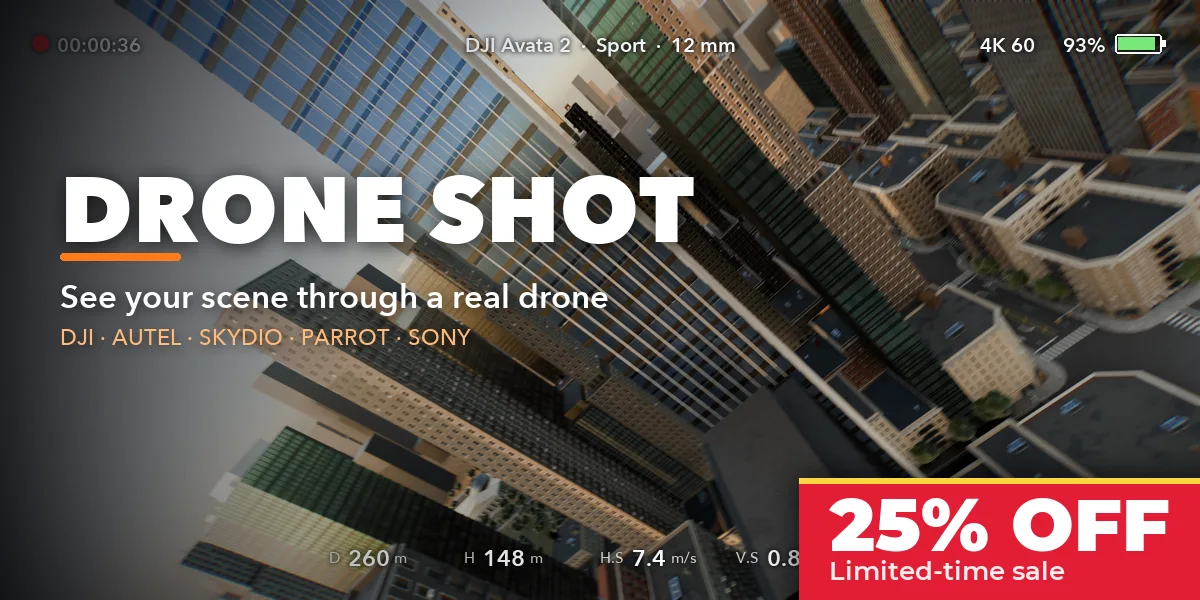
Drone Shot turns your scene into real drone footage. Mark the buildings or spots that matter, pick the drone you would fly in real life, and press Plan & Fly: the add-on plans a safe route around your geometry, flies it with that drone's physics and gives you a camera with its real lens, sensor and gimbal. Then you watch the flight through the drone's eyes, with a live telemetry overlay like on a drone controller.
Built for architecture visualization, real estate, urban planning and environment shots, where a believable aerial camera matters more than a perfect curve.
FPV flights that bank
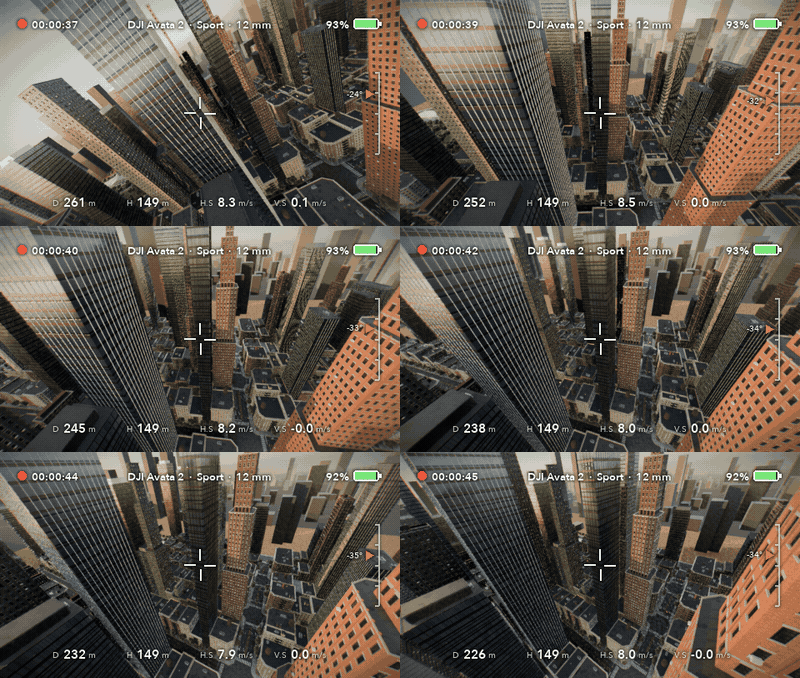
A DJI Avata 2 in Sport mode threads between the towers. FPV drones carry their camera fixed to the body, so the picture banks into every turn, like real FPV footage.
Pick a drone, mark, fly
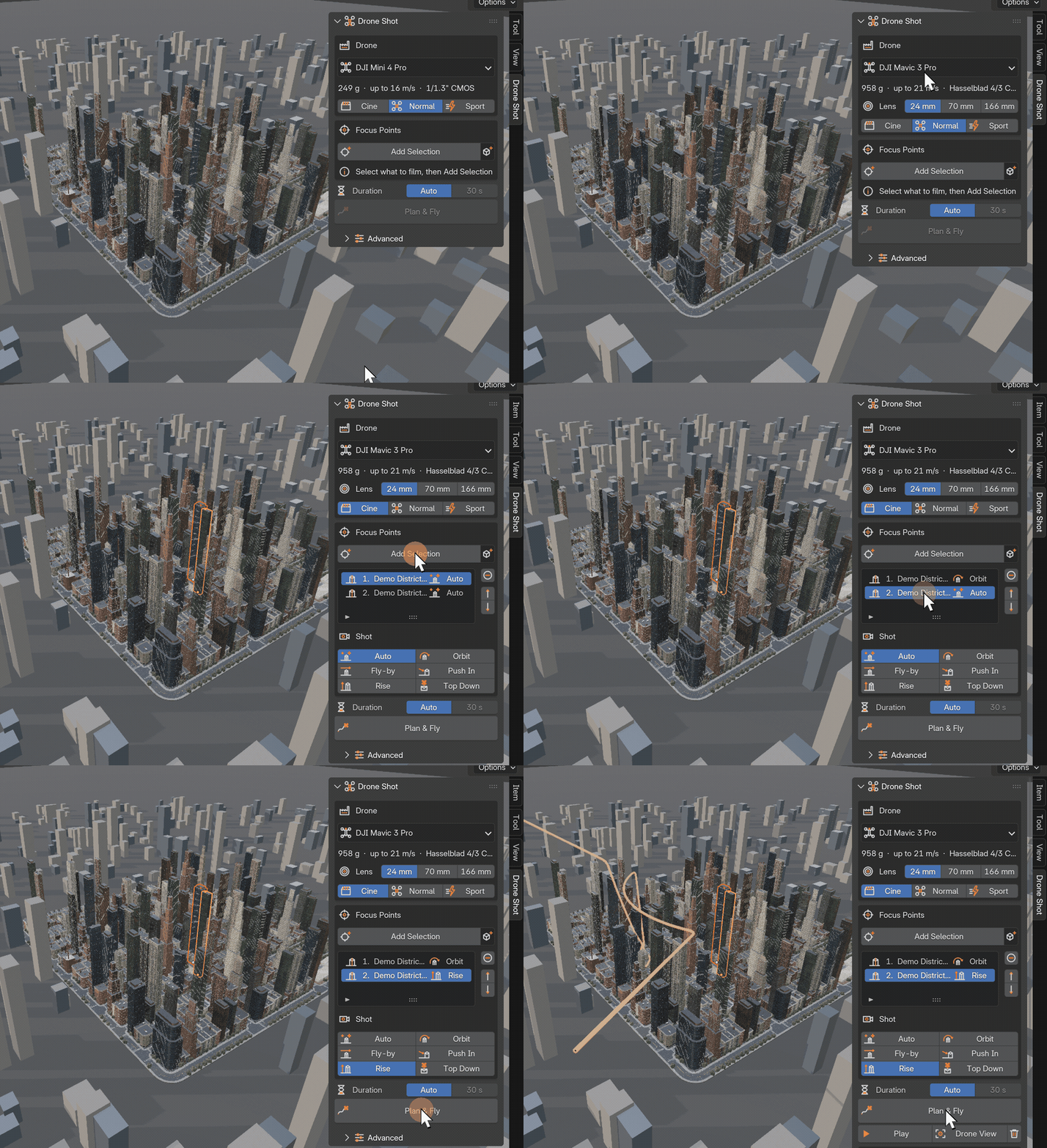
Choose the drone and its flight mode, add the buildings to film, pick a shot for each and press Plan & Fly. The whole route is planned for you in one click.
A safe route, planned for you
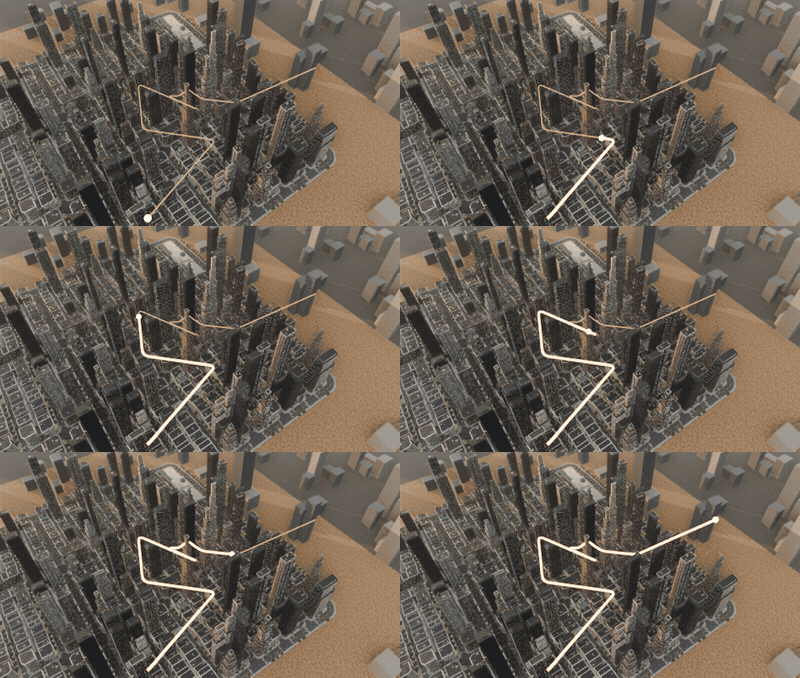
Mark the buildings that matter and press Plan & Fly. Drone Shot finds a smooth route that keeps your safety distance from every object and flies around or over anything in the way.
Cinematic orbits
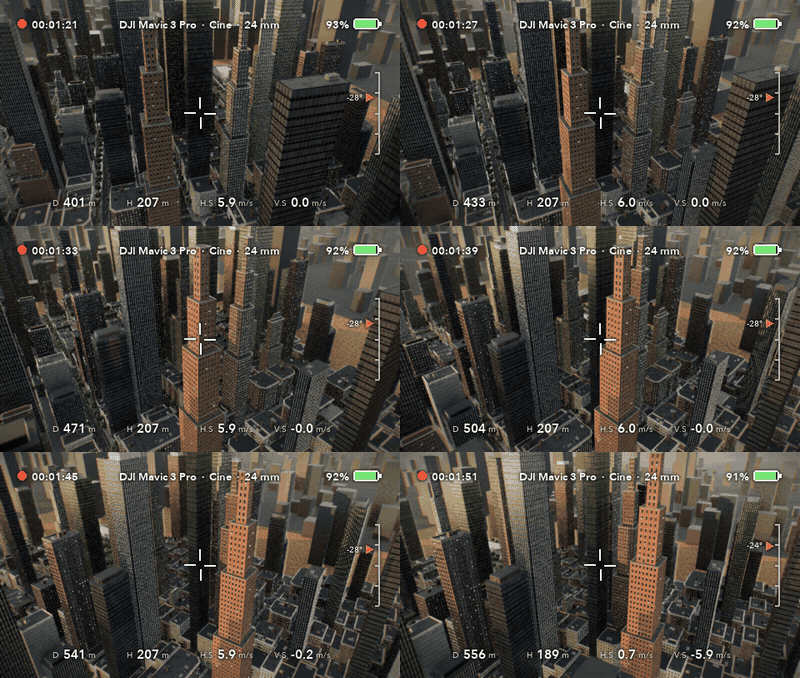
A DJI Mavic 3 Pro in Cine mode circles a tower while the gimbal keeps it framed, seen through the drone's own camera with a controller-style telemetry overlay.
Features
- 18 real drone profiles: DJI Mini 4 Pro, Mini 3, Neo, Air 3, Air 3S, Mavic 3 Pro, Mavic 4 Pro, Phantom 4 Pro, Inspire 2 and 3, Avata 2 and FPV, Autel EVO II Pro, EVO Lite+ and EVO Nano+, Skydio 2+, Parrot ANAFI Ai and Sony Airpeak S1
- The real camera of each drone: sensor size, every lens (24, 70 and 166 mm on the Mavic 3 Pro, full-frame DL lenses on the Inspire 3), aperture for depth of field, gimbal limits and video resolution
- Cine, Normal, Sport and Manual flight modes with each drone's published top speed, climb and descent rates
- Physically simulated flight: thrust and tilt limits, air drag, steady wind, gusts and turbulence, so the drone tilts into its turns and against the wind and eases in and out of every move
- Collision-free routes: the planner keeps a safety distance from every object, including modifiers and instances, and goes around or over anything in the way
- Automatic, smart start and end: an open, elevated approach and a pull-back reveal of the whole site, or your own start and end markers
- Six shot moves per point: orbit, fly-by, push in, rise, top down or automatic
- FPV drones bank with the picture; gimbal drones keep the horizon level with a trace of real vibration
- DJI-style telemetry overlay: height, distance, speeds, gimbal pitch, battery and timecode
- Clean sidebar UI with its own SVG icon set
Requires Blender 4.2 or newer. Tested on Blender 4.2, 4.5 and 5.2 LTS. Drone and brand names belong to their owners; the profiles only describe which drone the camera and flight imitate.
Install in under a minute (Blender 4.2+)
- In Blender open Edit › Preferences › Get Extensions.
- Open the arrow menu at the top right and choose Install from Disk.
- Pick the downloaded zip. Do not unzip it.
Questions
Which Blender versions are supported?
Blender 4.2 and newer. It is tested on Blender 4.2, 4.5 and 5.2 LTS.
Will the drone fly through my buildings?
No. The planner keeps the safety distance you set from every visible object, including modifiers, Geometry Nodes and instances, and the flown trajectory is checked again after the physics simulation. The panel reports the closest distance.
How accurate are the drone profiles?
Camera sensors, lenses, gimbal ranges, weights and speeds come from the makers' published specifications, rounded. Air drag is sized so each drone reaches its real top speed at its maximum tilt.
Does it work with any render engine?
Yes. The result is an ordinary animated camera, so it renders in Cycles, EEVEE or any other engine.