
Bondwork – Brick Wall Generator for Blender
Real brick and stone walls with bonds, damage and missing bricks
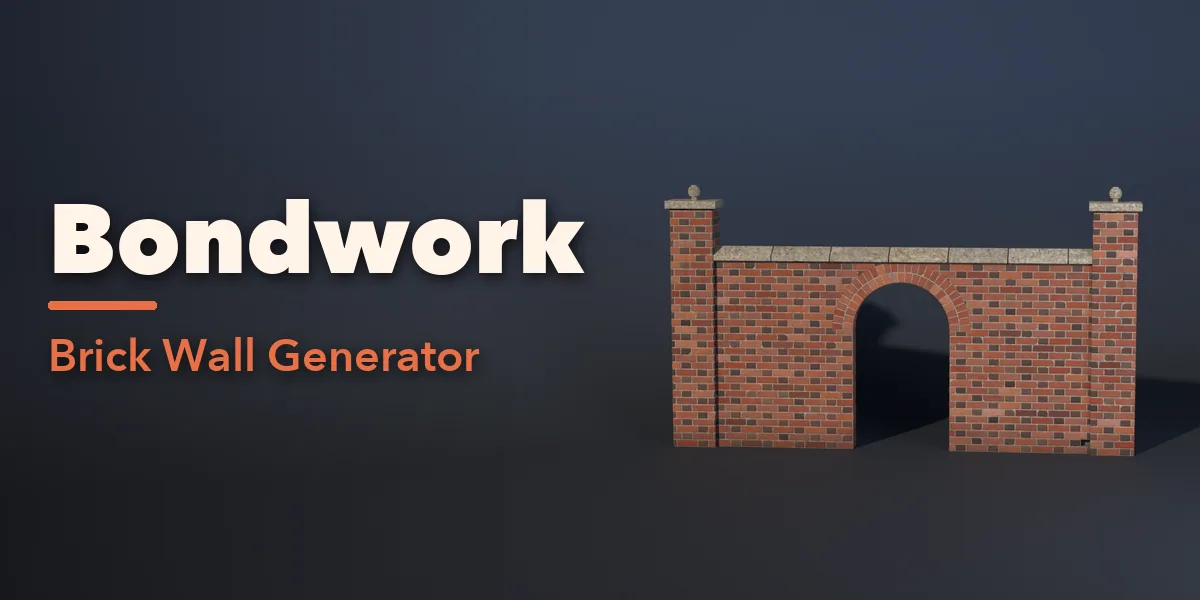
Bondwork builds walls of real, individual bricks and stones inside Blender. Every brick is its own bevelled block with mortar joints set back behind it, so walls catch light, cast shadows in their joints and break apart convincingly: knock out a few bricks and you see the pockets behind them, crumble the top and the rubble lies at the foot of the wall.
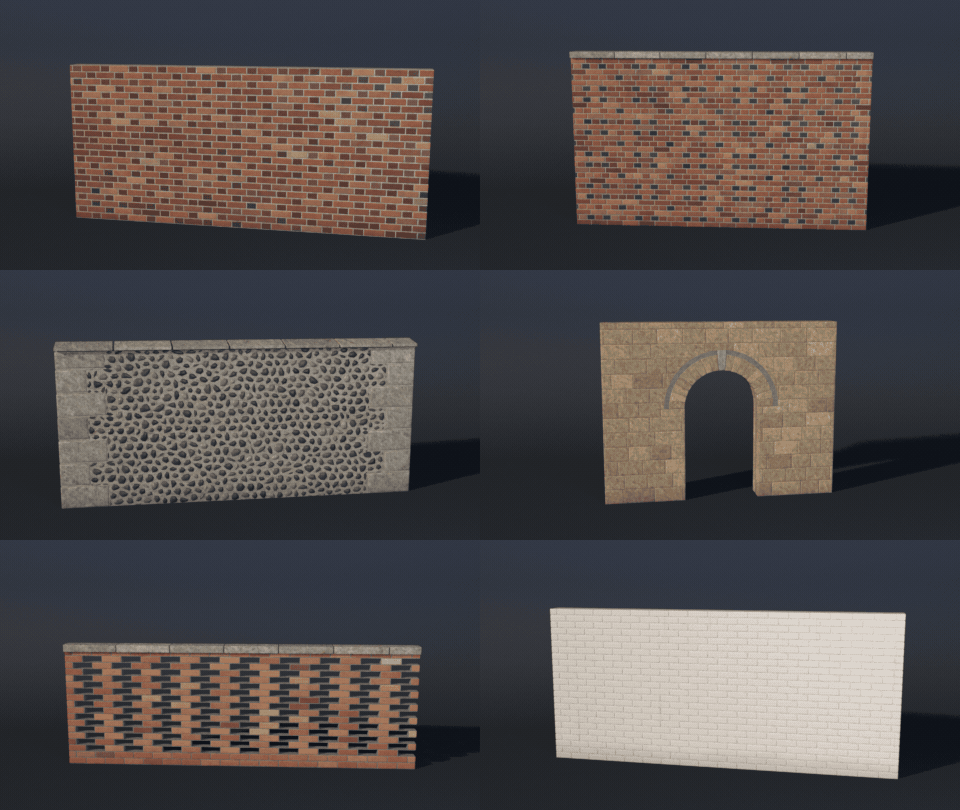
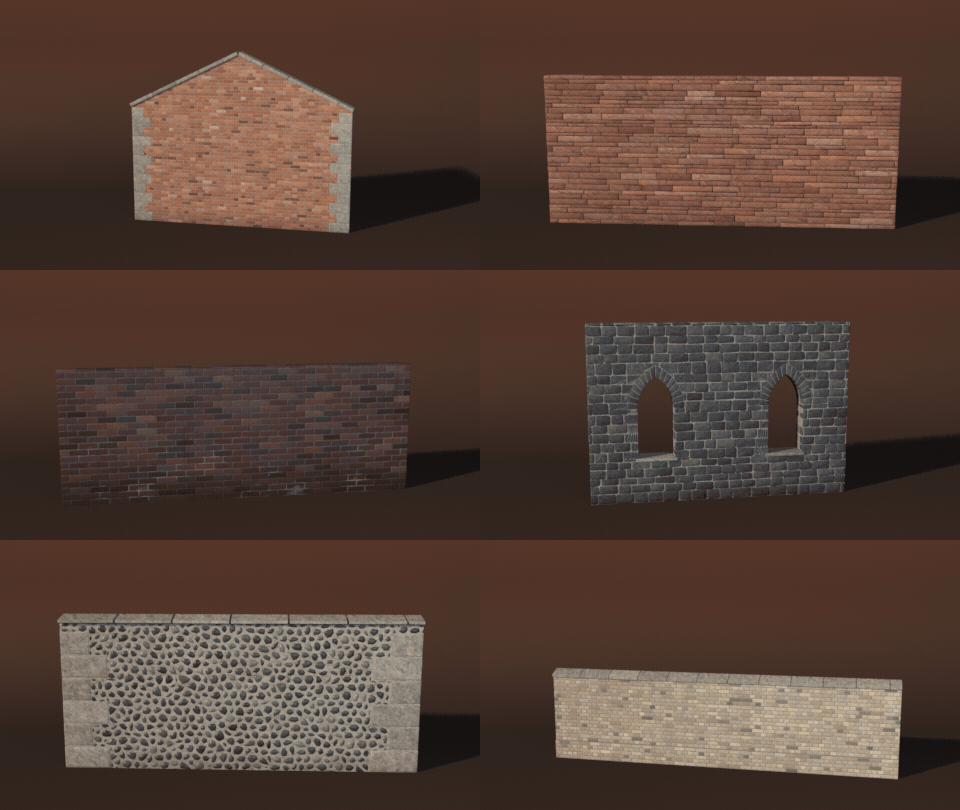
Pick one of 56 designs, from a Georgian Flemish bond with burnt headers to a Tudor diaper wall, a crinkle-crankle garden wall, a limestone ashlar archway, a flint church wall, a dry stone field wall or a crumbling ruin, then change anything. Draw any curve and the wall follows it: garden walls winding along a path, round a lawn or along a road, rebuilt live as you edit the curve. Choose from 25 bonds and stone patterns, 17 standard brick and block sizes (UK, US, German, Dutch, medieval, Roman, adobe, concrete block) and six joint finishes, and the wall rebuilds live as you drag.
Add windows, doors, archways, arcades, arrow slits and round windows with soldier or stone lintels, segmental, round and Gothic arches built from real voussoirs, keystones and sills. Top the wall with brick-on-edge, tile creasing, flat, saddleback or half-round copings, and add piers with pyramid or ball caps, plinths, band courses and quoins.
56 wall designs
Flemish and English bonds, garden walls with piers, herringbone, ashlar, flint, dry stone, arched windows, ruins and modern brick. Pick one and change anything.
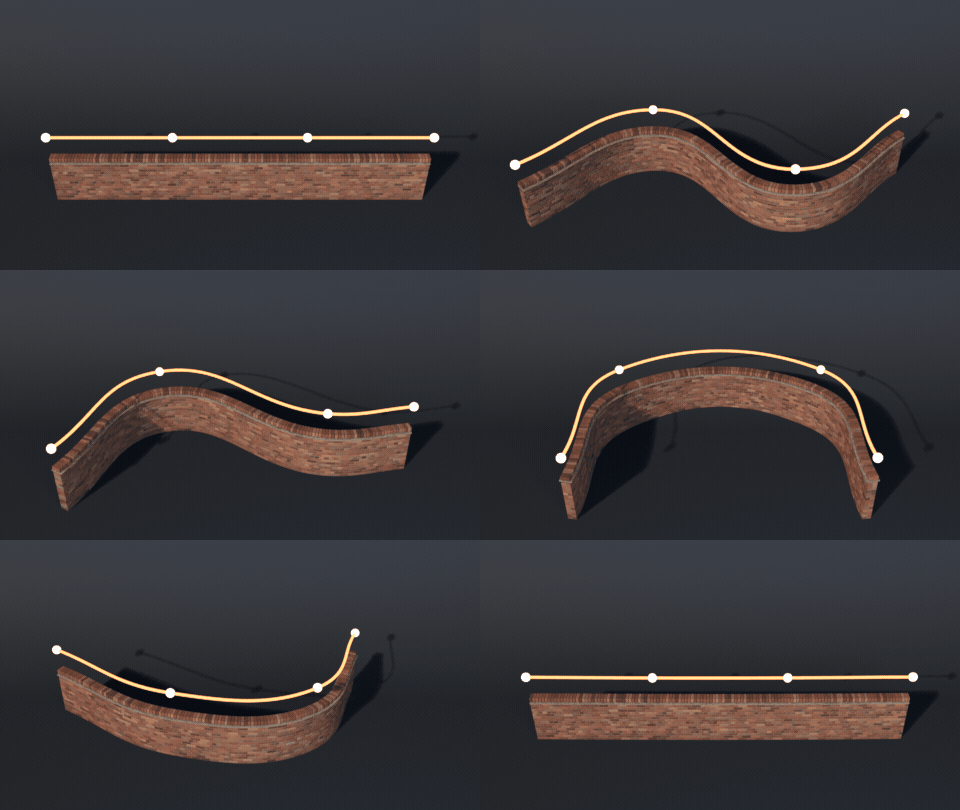
Draw a curve, the wall follows
Select any Bezier or poly curve and click Add Wall Along Curve (or Shift+A > Mesh > Brick Wall > Along Selected Curve). Edit or move the curve and the wall rebuilds along it.
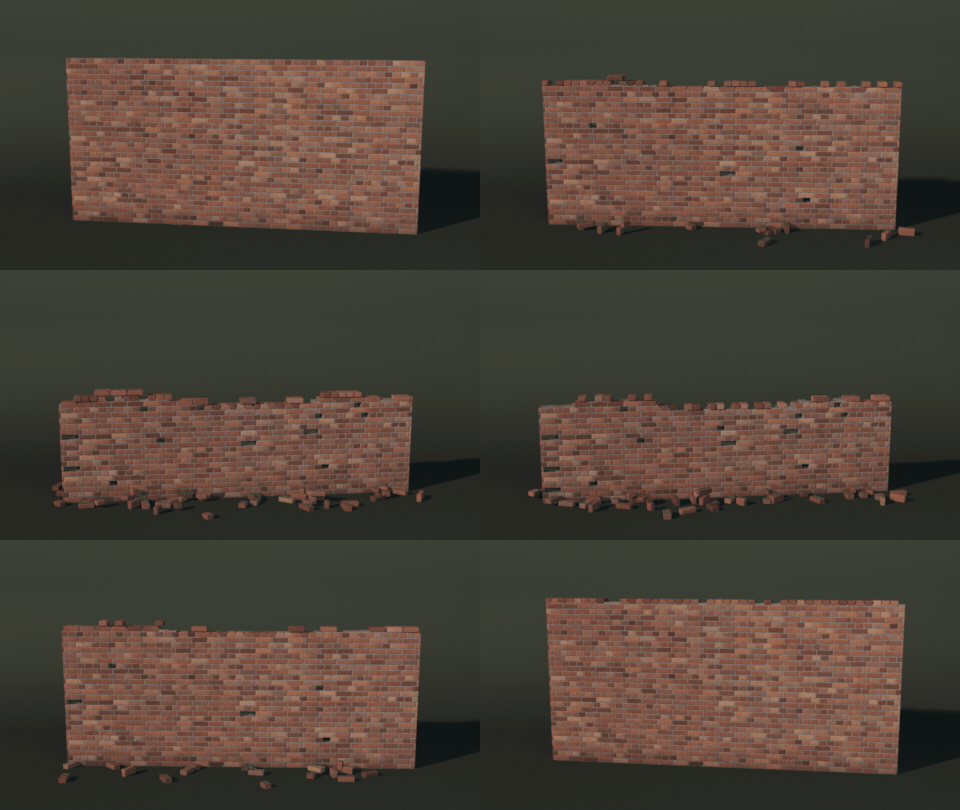
Drag a slider, the wall crumbles
Missing and chipped bricks, a crumbling top and rubble at the foot rebuild live as you drag the Damage sliders.
Surprise me
Every Surprise click builds a new random wall: a different design, size, look and amount of wear.
Features
- 56 designs in seven families: classic bonds, garden walls, decorative, stone, openings, ruins and modern
- 14 brick bonds: stretcher, English, English cross, Flemish, garden wall, common, monk, stack, header and more
- Herringbone and basketweave panels, diaper, polychrome bands, chequer and honeycomb walls
- 9 stone patterns: ashlar, random ashlar, coursed and random rubble, polygonal, fieldstone, flint, dry stone, ledgestone
- Straight, curved and serpentine walls with flat, gable, sloped or arched tops
- Walls follow any curve: select a Bezier or poly curve, click Add Wall Along Curve, edit the curve and the wall follows live
- Openings with lintels, arches, keystones and sills
- Damage: missing, chipped and loose bricks, worn edges, ruined tops, breaches, rubble and fallen render
- 25 photo-textured PBR looks, 8 mortars, dirt, moss, soot, salt bloom, paint and limewash
- One mesh object per wall with five material slots, ready for game engines
- Surprise and Vary buttons, picture-driven sidebar, Shift+A menu and Convert to Mesh
- Works in Cycles and EEVEE
Requires Blender 4.2 or newer. Tested on Blender 4.2, 4.5 and 5.2 LTS.
Install in under a minute (Blender 4.2+)
- In Blender open Edit › Preferences › Get Extensions.
- Open the arrow menu at the top right and choose Install from Disk.
- Pick the downloaded zip. Do not unzip it.
Questions
Which Blender versions are supported?
Blender 4.2 and newer. It is tested on Blender 4.2, 4.5 and 5.2 LTS.
Are the bricks real geometry or a texture?
Real geometry: every brick and stone is its own block with bevels, and the mortar sits behind them. Missing and broken bricks leave real holes.
Can I use the walls in a game engine?
Yes. Each wall is one mesh with five material slots (units, accent units, mortar, trim stone, render) using image textures and UVs. Use the Low detail level for big scenes.
Can a wall follow my own path?
Yes. Select any Bezier, poly or NURBS curve and click Add Wall Along Curve, or set Plan to Curve on an existing wall. The wall takes its length from the curve and rebuilds when you edit or move the curve.
Details
- Version
- 1.1.0
- Blender
- 4.2 or newer
- Tested on
- 4.2, 4.5 and 5.2 LTS
- Render engines
- Cycles, EEVEE
- Category
- Modeling
- Download
- 12.4 MB zip
- License
- GPL v3
More addons
 Featured
Air and Space Bundle – 9 Blender Generator Addons
Drones, helicopters, rockets, satellites and planets
 Featured
Bookwright
Procedural books of every kind, closed, shelved or turning pages
 Featured
Bicycle Generator
Procedural bicycles of every kind, from racers to cargo trikes

Thruster Roadster – Flying Car Generator for Blender
Thruster hypercar that drives and flies your path with physics